Showing posts with label My Project Life Process. Show all posts

Wednesday, April 3, 2019

2018 Project Life: A Walkthrough


2018 was. a. year. It had lots of ups and downs, lots of trips and couch cuddles, and lots of things to be thankful for. And I'm so happy to have captured all of it via this project.

Doing Project Life can sometimes be a struggle. There's a lot of pressure to stay on top of documenting all of life's little moments. I constantly fight with the voice inside my head that tells me it all needs to be perfect and beautiful, even though I know that it's not and never will be. But despite all of the pressure and self-doubt, I am so glad I do this project. Why? Because of the finished product.

I've recently shared two walkthrough videos on my YouTube channel documenting my completed 2018 albums. They're not perfect. In fact, I'm probably using the word "completed" a little loosely here; there were definitely things that never made it onto my pages. But they are full of moments documented, memories captured, and stories recorded for posterity. They may not mean a lot to anyone else, but they are precious to me. This is why I continue to do this project.

You can find videos for Volume 1 and Volume 2 below.


Happy crafting, friends.

Friday, August 24, 2018

Catching Up with Project Life

A while back I wrote a series of posts about my Project Life process (you can see them here and here), and I'm surprised to say that my process hasn't changed all that much. I still use the PicTapGo app and iPhoto, although I now print mostly from home instead of sending my photos off to a printer. I still prefer to work with kits, although most of my kits these days are ones that I've purchased rather than ones I made myself. And I still go through the same general steps when putting my spreads together, although it definitely doesn't take me as much time as it used to.

But today I wanted to talk to you specifically about catching up when you're behind on Project Life. I wish that I had some magic answer that made this process easy and painless, but I don't. Really it comes down to setting aside time and doing the work. But since I am habitually behind on my Project Life spreads, I have found a few things that help me get this done.

The first is batch processing. When I'm trying to get caught up, I always do the steps in batches. That means I'll edit photos for multiple weeks at a time before moving on to the next step with any of them. I do the same with printing, dating, and trimming. Once all of this is done, I store each week's photos together in a plastic bag. That way when I have a bit of time to be creative, I can pull out a bag, choose a kit, and get busy.

In the video below I walk you through the process I use to prepare multiple weeks at a time.


The second tip I have is to work with a kit. Having a limited number of supplies in front of you helps narrow your choices and allows you to work faster. If I spent time digging through all of my supplies for each week's spread, I would never get caught up. So I choose one kit to work with for each week and only pull other items from my stash when I need something to fill a particular need (like an alpha that still has E's).

I hope you found this helpful. Here's to all of us getting caught up on our Project Life albums!

Happy Crafting!

Thursday, April 5, 2018

Citrus Twist Kits

After much deliberation, I finally decided to start a new kit subscription last month. If you've read this blog for very long, you may remember that I used to subscribe to the Studio Calico documenter kits (from 2014 through 2016)...and I almost never used them. Most of the kits sat in their boxes for months before I did anything with them. Part of the reason was that I just didn't know how to work with kits. But the other part was that those kits weren't working for me.

Eventually, as I started working in my albums more consistently, I learned that kits were really my best friends. I need a limited number of items in front of me, and since kits all coordinate, they make it easy to put together pages.

So I spent a lot of time watching unboxing and process videos to see how other people were using the various kit options out there. And while several of them are very appealing, I ultimately realized that the Citrus Twist Kits are most likely to work for me.

So I jumped in. And we'll see how it goes.

Even though it's incredibly late (the April kit is already on its way), I'm sharing the unboxing video I made when I received the March kit. I think you'll see why I chose Citrus Twist.


You can learn more about Citrus Twist Kits here.

Happy Crafting!

Thursday, July 7, 2016

Project Life: 2016 Title Page

I ran into a little snag in getting the final Week In The Life video posted. Actually, as I write this I'm out of town for a job interview (keep your fingers crossed for me!). So while I'm away from home working on scoring a paying a gig, I've decided to share this year's Project Life title page. Seems appropriate since we're now over halfway through the year, right? Oh well, better late than never.


I actually completed this a couple months ago, and I honestly had so much fun doing it. It was one of those rare moments where inspiration seems to strike out of nowhere, and I was totally in a state of flow. That doesn't happen very often in my craft room.


I chose to do a 9x12 album this year. And I'm keeping with the monthly, rather than weekly format. I works better for us and our not-so-exciting daily lives.

2016 Project Life Title Page by Krystal L Becker

I've also decided to keep my corners squared off instead of rounded. This proved to be a little difficult to do with the Studio Calico Documenter kits, but I'm making it work.


 I'll have more details about my 2016 album soon. No, really I will. I promise. ;)

I'm not caught up by any means, but I have plenty to share. Besides, I've kind of given up on the idea of ever being "caught up" anyway. It's overrated.

Supplies:

Studio Calico January 2016 Arendal Documenter Kit
American Crafts Printshop! 6x6 paper pad
American Crafts Amy Tangerine Rise & Shine Grace Gold Phrase Thickers
American Crafts Amy Tangerine Ready Set Go Roller Date Stamp
Tim Holtz Tiny Attacher

I hope to have the next (and last) Week In The Life video posted early next week along with some close-up photos, so check back soon!

Wednesday, February 26, 2014

Project Life: My Process, Part 2

In yesterday's Part 1 post, I discussed how I journal about my week, as well as how I take, edit, store, and print photos. Today I'm getting to the fun parts of putting together a Project Life spread. I'll be covering how I go from a folder of random bits to a polished & complete week in my album.

**Be warned! This post is going to be long and picture heavy! But I wanted to be thorough and to give you all the information, details, and tips I could squeeze in. I hope you don't mind! :)

So when we left off yesterday, I had my OhLife printout, my ephemera, and my photos all tucked away in a folder labeled with the week's number and dates. To start putting together my layout, I grab that folder and head to my workspace.

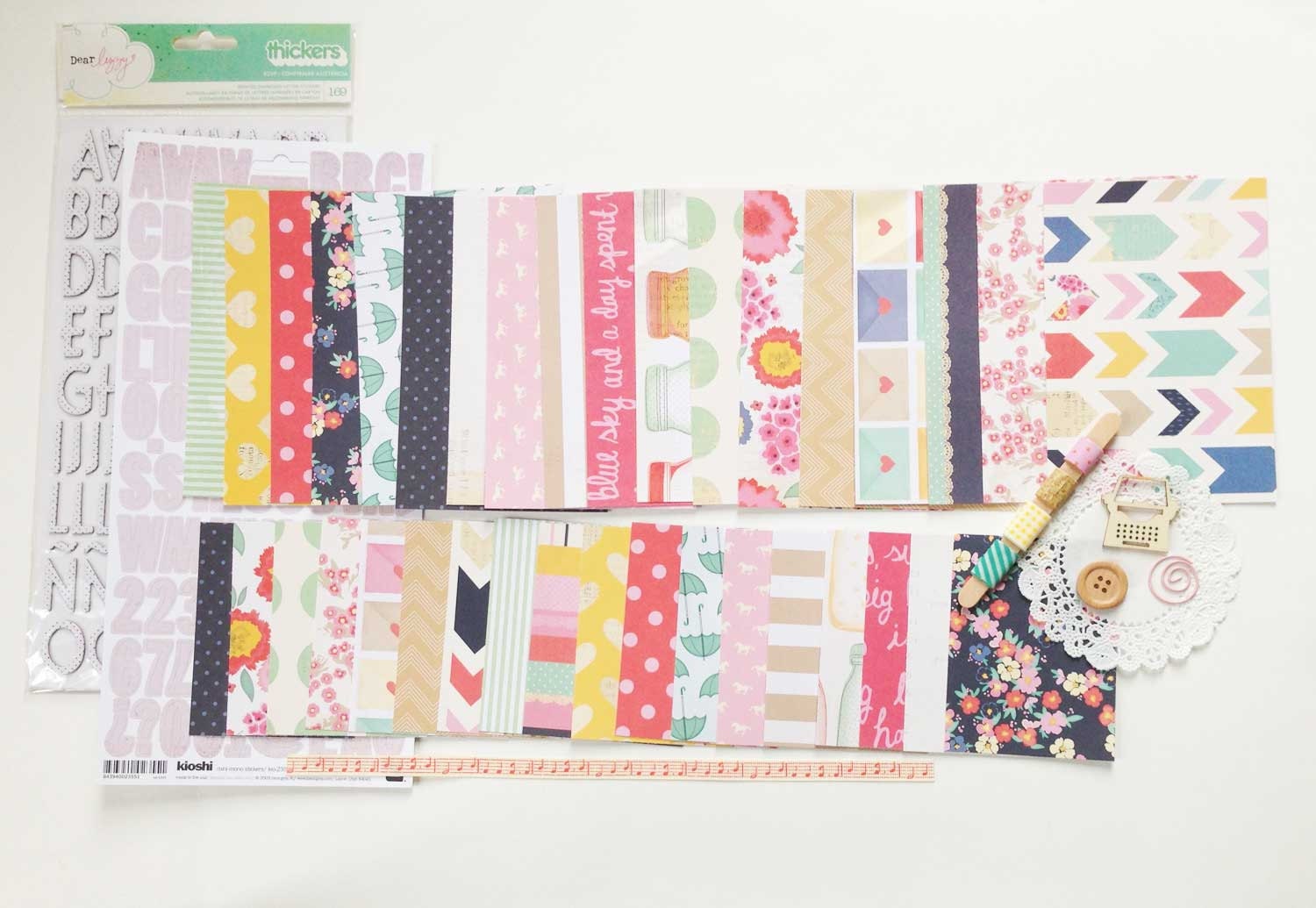
The first thing I do is choose the papers I plan to use and the color scheme for the week. I like to work with kits or single collections as my starting point. I find that if I'm left to choose papers from my entire stash, I quickly become overwhelmed, and I end up spending all of my time sorting through papers instead getting my layout finished. For this week, I chose the Dear Lizzy Lucky Charm mini kit from the Kinship Genealogy Etsy shop that, for some reason, I hadn't used in my Project Life yet - major oversight, since it's one of my absolute favorites!


Gorgeous, right? I love this collection! So like I said before, I use the kits as my starting point, then add in a few extras that I think go well with the color scheme or theme. For this kit, I began by adding a few other bits from the Lucky Charm collection that I had in my stash...an obvious choice.


From there I grabbed the Albums Made Easy, Simply Happy 4x6 and 3x4 journal card sets from We R Memory Keepers. I had already used these in my spread for week 1, but there were plenty sheets left in each pad, and the colors coordinate beautifully with the Lucky Charm collection.


See how well they go together?! So perfect. Next I grabbed a couple (partial) sheets of the Love You More collection from Elle's Studio. I knew the colors would work well, and I was inspired by this spread by Adrienne Alvis to use the Doily Love sheet for my title card.


Finally I grabbed a few more pieces from previous Dear Lizzy collections that I though might work well. The colors from all of her collections are fairly similar, and while they may not all work together, there are bits from each that certainly do.


With my papers (and a few embellishments) chosen, it was time to start working with my layout. I grabbed two page protectors from my binder and laid them out on my workspace.


For this week, I chose two Becky Higgins Design A page protectors. These are my go-to choice, though I do have several others in my binder that I sometimes play around with. Usually I just look at the orientation of the photos I have for the week and only deviate from the Design A pages if my photos require it.


With my pages laid out, the first thing I do is start placing my photos where I think I might want them. I pay attention to size and color to try to create balance on my page. I also try to keep things somewhat chronological, but I'm totally okay with mixing up the order if it makes for a more aesthetically pleasing layout.


With my photos in place, I add in my ephemera. This week there were just two little bits to add. Some weeks I have to do some serious editing due to lack of space. I'm kind of a hoarder when it come to this stuff, so I often have more than I can deal with. Then I have to remind myself that it's not necessary to capture absolutely every detail of our week and that an overview will suffice (#thecrazyinmyhead).


With everything laid out roughly where I think it will go, I start adding paper and filler cards. Back at the beginning of this process when I'm picking out papers, there are usually several that I know I'll want to use in certain spots (like the Doily Love paper as my title card). I start with those.


Then I gradually add other papers that will work with the journaling I have planned and the color balance of the page. I try to make sure that the colors I use appear on both sides of my spread. For example, the yellow ombre paper I chose to use in the top right pocket, meant I needed some yellow on the left side. To make that work, I moved the iPhone screenshot of the weather to the left and added the yellow filler card in its place. This also worked to balance out the chalkboard background I used between the two ephemera pockets. The teal card on the bottom right balances the title card, the kraft card on the bottom right balances the Starbucks sleeves, so on and so forth.


Once I have background papers and filler cards for all of the pockets, I start adding some of the embellishments I think I might want to use. This is the point where I sometimes have to go back to my stash to find the perfect piece for a particular spot. I lay everything loosely where I think it might work before I adhere anything.


Once I'm satisfied with most of the pockets, I slide the whole thing off to the side and begin pulling individual cards in front of me to glue everything down and add the embellishments. There's usually a lot of fussing and fidgeting with each card as I attempt to get it just the way I want it.


For this spread, I planned to do quite a bit of journaling, and since I had a lot of information that I wanted to include, I knew my best option was to type it rather than hand-write everything. This would have been the perfect time to use that typewriter I've been searching for...but alas, I have not yet found my love...so my printer had to do.


With the typing and most of the embellishing done, I had an almost-completed layout. All that was left was to stitch things down using my sewing machine and to add some hand-written bits and stamps. And here's the finished spread!


I added a few stamped arrows and chevrons to fill in some blank spaces, and made liberal use of my date stamps. I also added my handwriting on the "breakfast of champions" card and some doodling on the "his & hers" card (I was going for a chalkboard effect).


I hope you enjoyed learning more about my process, and I hope it inspired you in some small way. Please let me know if you have any questions about any part of what I've written, and I'll do my best to provide answers here on the blog.


I'd also love to hear about your process, so please post links in the comments if you've written about how you complete a Project Life spread. There is always more to learn, & I find everyone's processes fascinating!


Thanks for stopping by!

Products Used:

Dear Lizzy Lucky Charm Document Life Mini Kit from Kinship Genealogy

Dear Lizzy Lucky Charm Lucky Coin 12x12 Paper

Dear Lizzy Lucky Charm This & That 12x12 Paper

Albums Made Easy Simply Happy 4x6 and 3x4 journal card sets from We R Memory Keepers

Elle's Studio Love you More Doily Love 12x12 Paper

Becky Higgins Project Life Design A Page Protectors

Glitz Design Color Me Happy 8x8 Paper Pad (no longer available)

Studio Calico Sundrifter Goodness Aqua Ombre Thickers 

Amy Tangerine Goodness White Thickers (no longer available)

Amy Tangerine Yes, Please White Wish Foam Thickers

Hero Arts/Studio Calico Sundrifter Frame & Feathers Stamp Set (no longer available)

Project Life Date Stamp

Studio Calico Classic Calico 3 Roller Date Stamp

Uni Ball Signo White Gel Pen

Black Journaling Pen


Tuesday, February 25, 2014

Project Life: My Process, Part 1

Today I'm sharing the first part of my process for completing a Project Life spread. This is a post I have been meaning to write for a long time. I had hoped to be able to share a video as well, but my current set-up has made that difficult, so until things change, this post will have to do. :) Part 1 will cover what I consider to be the very boring but very necessary parts of prepping my Project Life spreads: journaling, photo editing, and filing. Tomorrow's Part 2 post will cover the more fun bits, so be sure to check back!

My process is basically the same whether I'm doing a recent week or a catch-up week. I have a fairly streamlined system that works for me regardless of the time period I'm capturing, though I'm rarely up to date, so I am most often catching up. The week I'll be sharing today & tomorrow happens to be week 2 of this year.


I start every layout by first consulting my OhLife files. As far as I'm concerned, OhLife is the biggest and best kept secret for a well-organized and well-documented Project Life Album. I can't believe more people don't use this service!

Basically, OhLife is just a way of journaling your day. After you sign up, you'll receive an email once a day reminding you to journal about what happened. All you have to do is reply to the email and OhLife automatically adds the entry to your online journal. It's completely secure, so there are no worries about privacy, and you can easily download your entries to print or simply access them in your online journal. I prefer to download and print my entries for each week, and I usually do this several weeks at a time (because I am rarely fully caught up with my album).


Once I have my journaling for the week, I make note of the photos I have for each day. I use my iPhone 5 almost exclusively for taking photos during the week. From there, my images are automatically downloaded to iPhoto on my computer via iCloud. This is a HUGE timesaver. It used to take me much longer to sort and upload my photos. I'm also able to import any photos that J may have takes through our shared photostream. I love that I'm able to very easily add his perspective on our week this way!

As you can see above, all the images are organized by month in my iPhoto events folders, so I only have to click on the appropriate folder, scroll to the dates I'm documenting, pick which photos I'd like to use, and make note of them on my OhLife printout. I write down the file name as well as a short description, that way if when I'm interrupted, I can easily pick up where I left off without backtracking.

I almost always edit my photos before printing them. Because I use my phone 99.99% of the time and because I am certainly no photographer, I rely on several photo editing programs to help make them presentable:


  • Pictapgo is an iOS app by Totally Rad. This is definitely my favorite way of editing my photos. There are tons of filters, but mostly I just use it as an easy way to lighten dark iPhone images. I highly recommend this app if you're an iPhone user.

  • When I want to do more work with my photos, I use Photoshop. I have CS5 on my computer, and while I am certainly no Photoshop expert, I'm capable enough to do some basic editing. I have several actions installed, but the ones offered by The Pioneer Woman are by far my most-used.
  • I recently discovered the PicFrame app and have fallen in love with how easy it is. I've always wanted my photos to have a white border, but was put off by the extra work it requires. Thankfully, this app makes it super easy! It's also an easy way to make photo collages, which is perfect for getting more photos into a spread without adding inserts.

Once I have all of my photos edited, it's time to get them printed. I used to print a lot of my photos at home, but my printer isn't a designated photo printer, and the quality was starting to bother me. So lately I've been sending my photos out to various printers. I have printed with Shutterfly, Snapfish, Walmart, Walgreens, Meijer, and CVS, and other than a small fiasco with my most recently printed order from Walgreens, they all seem to be pretty equal to me - not the best in quality, but better than I can do at home. I'd love to be able to print all of my photos with Persnickety Prints, but it's just not within my budge. So when it's time to print, I usually go with wherever there's a sale.

So that pretty much covers my journaling and photo storage, editing, and printing methods. There's one more thing I wanted to mention before I leave you for today, and that's how I deal with all of the little bits and pieces of ephemera that I include in my spreads.

For each week of the year, I make a file. I use regular ol' office supply store files and label them with the week number and the dates it includes. I usually do this months in advance. Then, as the weeks go by, I fill them with al the little pieces of our lives: receipts, coffee sleeves, food labels, name tags, etc. When I create the OhLife printouts, these go in the file too. And when I print multiple weeks worth of photos, I date each one and put them in their respective file folders as well. That way when I'm ready to complete a Project Life spread, I only need to grab my file for that week and I have everything I need.

As I said before, I'm rarely up to date with my album, and I am often doing all of the above steps in batches. To keep track of what's been done for each week, I keep a binder with a checklist. As I print the OhLife file or edit the photos for that week, I check each task off on my checklist. 

Without these systems, I would never know what still needed to be done, know where my ephemera or photos for that week were, or remember many of the stories I wanted to record. I've actually started making these folders for previous years as well in the hope that at some point, when I have the time, I can go back and easily put together Project Life albums for most of our years together. 

Wow, that is one wordy post! Be sure to check back tomorrow when I'll be sharing the more fun parts of putting together my Project Life spread! :)

**ETA: The Part 2 post is now live! You can find it here.**