Showing posts with label Project Life 2014. Show all posts

Tuesday, March 11, 2014

Project Life 2014 Week 4

If you follow me on Instagram, then you know that I recently purchased yet another Project Life core kit. Honestly, I needed it like I need a hole in the head, but I just couldn't resist. I had a coupon.

And in my defense, I did put it to use pretty much immediately...


I'm oh-so-slowly working my way through January of 2014. Most of the photos I had for week 4 were taken and night, and were therefore, very dark. The pastels in the Dear Lizzy kit did a great job of keeping the spread from looking too heavy and dark.


Overall, the week was pretty uneventful. I didn't have many photos, and somehow didn't manage to save a single piece of ephemera from our week. Very strange for me. All of this adds up to lots of journaling and filler cards. Lucky for me, the kit has plenty of both.


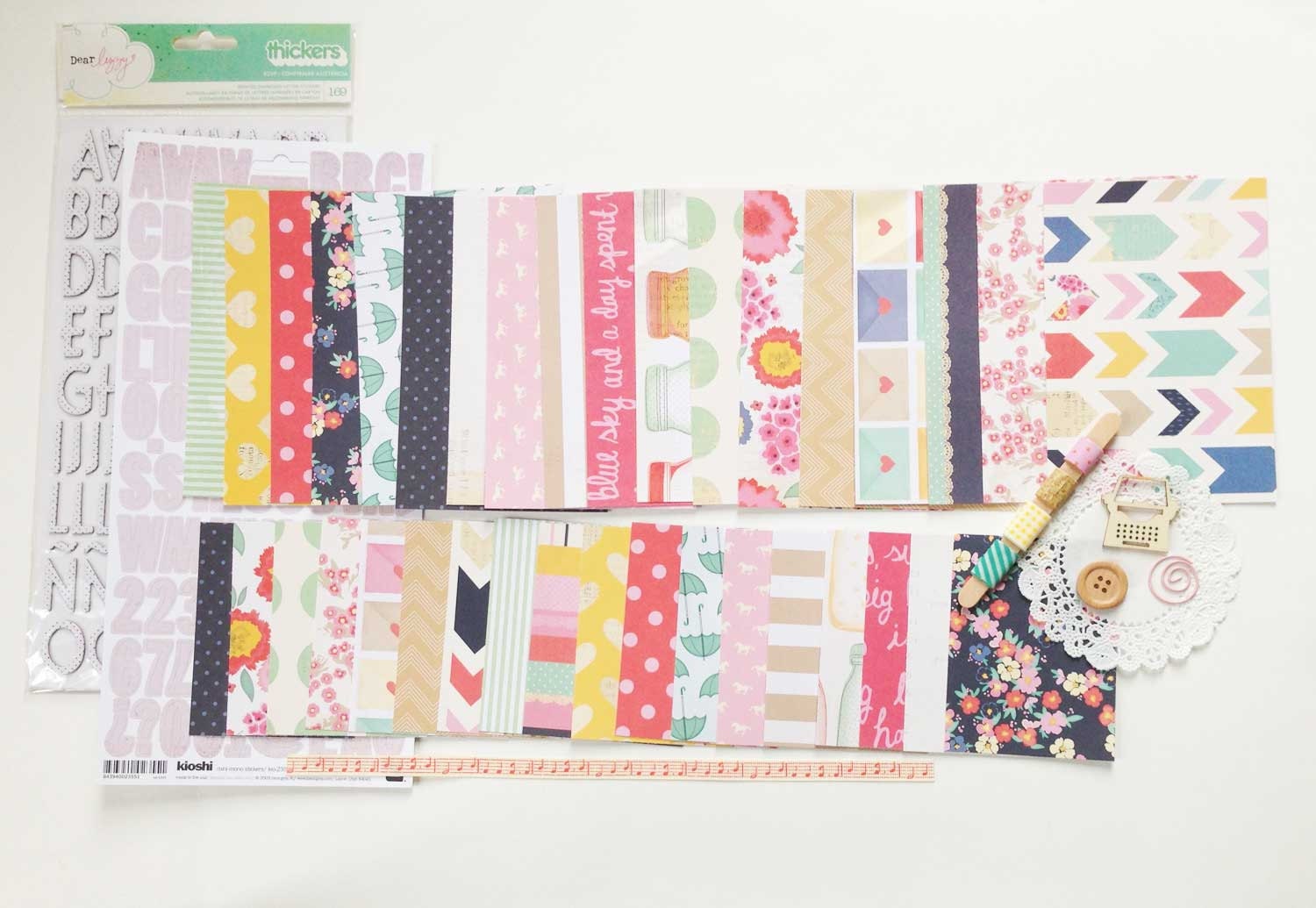
I found that the kit paired really nicely with the Hey Girl! line from BasicGrey, so I used a few bits and pieces from that collection. I also included some of the Dear Lizzy embellishments from 5th & Frolic and Lucky Charm. You can find a detailed list of all the products I used below.


By the way, I didn't even make a dent in the core kit. You get so many cards in these kits! I'm seriously thinking about divvying up some of the cards and sharing or maybe swapping. Anyone interested?

Products Used:

Dear Lizzy 5th & Frolic Project Life Core Kit (available exclusively at Michael's stores)

Dear Lizzy 5th & Frolic Accent and Phrase Stickers (no longer available - see similar)

Dear Lizzy Polka Dot Party RSVP Thickers

Dear Lizzy Lucky Charm Multi Trinket Thicker Phrases (no longer available - see similar)

Dear Lizzy Lucky Charm Roller Date Stamp

BasicGrey Hey Girl! Die Cuts and Transparencies

BasicGrey Hello Label Stickers

BasicGrey Basics Candy Buttons in Red & Pink

Studio Calico Sundrifter Goodness Aqua Ombre Thickers

Pebbles Basics Washi Tape in Begonia (no longer available - see similar)

Teresa Collins She Said Enamel Dots (no longer available - see similar)

Prima Marketing Delight Sugardots

Tim Holtz Tiny Attacher

Becky Higgins Design A Photo Pocket Pages


Tuesday, March 4, 2014

Project Life 2014 Week 3

**Please excuse the poor quality pictures. I think I waited until too late in the day to take them, and I didn't notice the terrible glare until I edited them. But in the interest of getting this post up today, I'm using them as is. Consider it a lesson learned. :(


Today I'm sharing week 3 of this year. Like week 2, I didn't have many photos to work with, so there are quite a few filler pockets. Last year I did all I could to avoid using filler cards, but this year I seem to have embraced them wholeheartedly! 


Week 3 was the week I published a post here on this blog for the first time. It was also a week of more snow and frigid temperatures. J was home a lot due to the weather, and we all got a bit stir crazy being stuck in the house together...which led to some hilarious antics. We also did a mini photo shoot with J in his new suit to get a good professional profile pic for him. The outtakes from that shoot are some of my favorite photos ever of him (though he'll probably kill me for posting them here)!  


When putting together the color scheme/paper choices for this week, I got the idea to continue using the same "kit" of papers I'd been using for the last two weeks for the entire month of January, then switching to a new "kit" in February. So essentially each month would have its own theme. I'm honestly not sure if I'll stick with it, but since I'm still loving the papers I've been working with, I decided just to go with it for now.


I did change the color focus a bit, using more pinks and reds than the first two weeks, but still using the same paper collections. The only new addition is the "Currents" card, which is a free download created by Deena Rutter.


Products Used:


Dear Lizzy 5th and Frolic Accent and Phrase Stickers (no longer available - see similar)


Dear Lizzy Lucky Charm Multi Trinket Thicker Phrases (no longer available)


Dear Lizzy Neapolitan Remarks Tile Letter Stickers in Parakeet (no longer available - see similar)

American Crafts Delight Thickers in Robin's Egg (no longer available - see similar)


Teresa Collins She Said Enamel Dots (no longer available - see similar)


BasicGrey Basics Candy Buttons in Blue/Seafoam (no longer available - see similar)


Cosmo Cricket S'more Love Stamp Set (no longer available)

Studio G "Dang It's Been A While" Clear Stamp (not available online)


Alphabet Stamp Set from the See Spot Save section at Target (not available online - see similar)

Date Stamp Set from the See Spot Save section at Target (not available online - see similar)


Wednesday, February 26, 2014

Project Life: My Process, Part 2

In yesterday's Part 1 post, I discussed how I journal about my week, as well as how I take, edit, store, and print photos. Today I'm getting to the fun parts of putting together a Project Life spread. I'll be covering how I go from a folder of random bits to a polished & complete week in my album.

**Be warned! This post is going to be long and picture heavy! But I wanted to be thorough and to give you all the information, details, and tips I could squeeze in. I hope you don't mind! :)

So when we left off yesterday, I had my OhLife printout, my ephemera, and my photos all tucked away in a folder labeled with the week's number and dates. To start putting together my layout, I grab that folder and head to my workspace.

The first thing I do is choose the papers I plan to use and the color scheme for the week. I like to work with kits or single collections as my starting point. I find that if I'm left to choose papers from my entire stash, I quickly become overwhelmed, and I end up spending all of my time sorting through papers instead getting my layout finished. For this week, I chose the Dear Lizzy Lucky Charm mini kit from the Kinship Genealogy Etsy shop that, for some reason, I hadn't used in my Project Life yet - major oversight, since it's one of my absolute favorites!


Gorgeous, right? I love this collection! So like I said before, I use the kits as my starting point, then add in a few extras that I think go well with the color scheme or theme. For this kit, I began by adding a few other bits from the Lucky Charm collection that I had in my stash...an obvious choice.


From there I grabbed the Albums Made Easy, Simply Happy 4x6 and 3x4 journal card sets from We R Memory Keepers. I had already used these in my spread for week 1, but there were plenty sheets left in each pad, and the colors coordinate beautifully with the Lucky Charm collection.


See how well they go together?! So perfect. Next I grabbed a couple (partial) sheets of the Love You More collection from Elle's Studio. I knew the colors would work well, and I was inspired by this spread by Adrienne Alvis to use the Doily Love sheet for my title card.


Finally I grabbed a few more pieces from previous Dear Lizzy collections that I though might work well. The colors from all of her collections are fairly similar, and while they may not all work together, there are bits from each that certainly do.


With my papers (and a few embellishments) chosen, it was time to start working with my layout. I grabbed two page protectors from my binder and laid them out on my workspace.


For this week, I chose two Becky Higgins Design A page protectors. These are my go-to choice, though I do have several others in my binder that I sometimes play around with. Usually I just look at the orientation of the photos I have for the week and only deviate from the Design A pages if my photos require it.


With my pages laid out, the first thing I do is start placing my photos where I think I might want them. I pay attention to size and color to try to create balance on my page. I also try to keep things somewhat chronological, but I'm totally okay with mixing up the order if it makes for a more aesthetically pleasing layout.


With my photos in place, I add in my ephemera. This week there were just two little bits to add. Some weeks I have to do some serious editing due to lack of space. I'm kind of a hoarder when it come to this stuff, so I often have more than I can deal with. Then I have to remind myself that it's not necessary to capture absolutely every detail of our week and that an overview will suffice (#thecrazyinmyhead).


With everything laid out roughly where I think it will go, I start adding paper and filler cards. Back at the beginning of this process when I'm picking out papers, there are usually several that I know I'll want to use in certain spots (like the Doily Love paper as my title card). I start with those.


Then I gradually add other papers that will work with the journaling I have planned and the color balance of the page. I try to make sure that the colors I use appear on both sides of my spread. For example, the yellow ombre paper I chose to use in the top right pocket, meant I needed some yellow on the left side. To make that work, I moved the iPhone screenshot of the weather to the left and added the yellow filler card in its place. This also worked to balance out the chalkboard background I used between the two ephemera pockets. The teal card on the bottom right balances the title card, the kraft card on the bottom right balances the Starbucks sleeves, so on and so forth.


Once I have background papers and filler cards for all of the pockets, I start adding some of the embellishments I think I might want to use. This is the point where I sometimes have to go back to my stash to find the perfect piece for a particular spot. I lay everything loosely where I think it might work before I adhere anything.


Once I'm satisfied with most of the pockets, I slide the whole thing off to the side and begin pulling individual cards in front of me to glue everything down and add the embellishments. There's usually a lot of fussing and fidgeting with each card as I attempt to get it just the way I want it.


For this spread, I planned to do quite a bit of journaling, and since I had a lot of information that I wanted to include, I knew my best option was to type it rather than hand-write everything. This would have been the perfect time to use that typewriter I've been searching for...but alas, I have not yet found my love...so my printer had to do.


With the typing and most of the embellishing done, I had an almost-completed layout. All that was left was to stitch things down using my sewing machine and to add some hand-written bits and stamps. And here's the finished spread!


I added a few stamped arrows and chevrons to fill in some blank spaces, and made liberal use of my date stamps. I also added my handwriting on the "breakfast of champions" card and some doodling on the "his & hers" card (I was going for a chalkboard effect).


I hope you enjoyed learning more about my process, and I hope it inspired you in some small way. Please let me know if you have any questions about any part of what I've written, and I'll do my best to provide answers here on the blog.


I'd also love to hear about your process, so please post links in the comments if you've written about how you complete a Project Life spread. There is always more to learn, & I find everyone's processes fascinating!


Thanks for stopping by!

Products Used:

Dear Lizzy Lucky Charm Document Life Mini Kit from Kinship Genealogy

Dear Lizzy Lucky Charm Lucky Coin 12x12 Paper

Dear Lizzy Lucky Charm This & That 12x12 Paper

Albums Made Easy Simply Happy 4x6 and 3x4 journal card sets from We R Memory Keepers

Elle's Studio Love you More Doily Love 12x12 Paper

Becky Higgins Project Life Design A Page Protectors

Glitz Design Color Me Happy 8x8 Paper Pad (no longer available)

Studio Calico Sundrifter Goodness Aqua Ombre Thickers 

Amy Tangerine Goodness White Thickers (no longer available)

Amy Tangerine Yes, Please White Wish Foam Thickers

Hero Arts/Studio Calico Sundrifter Frame & Feathers Stamp Set (no longer available)

Project Life Date Stamp

Studio Calico Classic Calico 3 Roller Date Stamp

Uni Ball Signo White Gel Pen

Black Journaling Pen


Tuesday, February 25, 2014

Project Life: My Process, Part 1

Today I'm sharing the first part of my process for completing a Project Life spread. This is a post I have been meaning to write for a long time. I had hoped to be able to share a video as well, but my current set-up has made that difficult, so until things change, this post will have to do. :) Part 1 will cover what I consider to be the very boring but very necessary parts of prepping my Project Life spreads: journaling, photo editing, and filing. Tomorrow's Part 2 post will cover the more fun bits, so be sure to check back!

My process is basically the same whether I'm doing a recent week or a catch-up week. I have a fairly streamlined system that works for me regardless of the time period I'm capturing, though I'm rarely up to date, so I am most often catching up. The week I'll be sharing today & tomorrow happens to be week 2 of this year.


I start every layout by first consulting my OhLife files. As far as I'm concerned, OhLife is the biggest and best kept secret for a well-organized and well-documented Project Life Album. I can't believe more people don't use this service!

Basically, OhLife is just a way of journaling your day. After you sign up, you'll receive an email once a day reminding you to journal about what happened. All you have to do is reply to the email and OhLife automatically adds the entry to your online journal. It's completely secure, so there are no worries about privacy, and you can easily download your entries to print or simply access them in your online journal. I prefer to download and print my entries for each week, and I usually do this several weeks at a time (because I am rarely fully caught up with my album).


Once I have my journaling for the week, I make note of the photos I have for each day. I use my iPhone 5 almost exclusively for taking photos during the week. From there, my images are automatically downloaded to iPhoto on my computer via iCloud. This is a HUGE timesaver. It used to take me much longer to sort and upload my photos. I'm also able to import any photos that J may have takes through our shared photostream. I love that I'm able to very easily add his perspective on our week this way!

As you can see above, all the images are organized by month in my iPhoto events folders, so I only have to click on the appropriate folder, scroll to the dates I'm documenting, pick which photos I'd like to use, and make note of them on my OhLife printout. I write down the file name as well as a short description, that way if when I'm interrupted, I can easily pick up where I left off without backtracking.

I almost always edit my photos before printing them. Because I use my phone 99.99% of the time and because I am certainly no photographer, I rely on several photo editing programs to help make them presentable:


  • Pictapgo is an iOS app by Totally Rad. This is definitely my favorite way of editing my photos. There are tons of filters, but mostly I just use it as an easy way to lighten dark iPhone images. I highly recommend this app if you're an iPhone user.

  • When I want to do more work with my photos, I use Photoshop. I have CS5 on my computer, and while I am certainly no Photoshop expert, I'm capable enough to do some basic editing. I have several actions installed, but the ones offered by The Pioneer Woman are by far my most-used.
  • I recently discovered the PicFrame app and have fallen in love with how easy it is. I've always wanted my photos to have a white border, but was put off by the extra work it requires. Thankfully, this app makes it super easy! It's also an easy way to make photo collages, which is perfect for getting more photos into a spread without adding inserts.

Once I have all of my photos edited, it's time to get them printed. I used to print a lot of my photos at home, but my printer isn't a designated photo printer, and the quality was starting to bother me. So lately I've been sending my photos out to various printers. I have printed with Shutterfly, Snapfish, Walmart, Walgreens, Meijer, and CVS, and other than a small fiasco with my most recently printed order from Walgreens, they all seem to be pretty equal to me - not the best in quality, but better than I can do at home. I'd love to be able to print all of my photos with Persnickety Prints, but it's just not within my budge. So when it's time to print, I usually go with wherever there's a sale.

So that pretty much covers my journaling and photo storage, editing, and printing methods. There's one more thing I wanted to mention before I leave you for today, and that's how I deal with all of the little bits and pieces of ephemera that I include in my spreads.

For each week of the year, I make a file. I use regular ol' office supply store files and label them with the week number and the dates it includes. I usually do this months in advance. Then, as the weeks go by, I fill them with al the little pieces of our lives: receipts, coffee sleeves, food labels, name tags, etc. When I create the OhLife printouts, these go in the file too. And when I print multiple weeks worth of photos, I date each one and put them in their respective file folders as well. That way when I'm ready to complete a Project Life spread, I only need to grab my file for that week and I have everything I need.

As I said before, I'm rarely up to date with my album, and I am often doing all of the above steps in batches. To keep track of what's been done for each week, I keep a binder with a checklist. As I print the OhLife file or edit the photos for that week, I check each task off on my checklist. 

Without these systems, I would never know what still needed to be done, know where my ephemera or photos for that week were, or remember many of the stories I wanted to record. I've actually started making these folders for previous years as well in the hope that at some point, when I have the time, I can go back and easily put together Project Life albums for most of our years together. 

Wow, that is one wordy post! Be sure to check back tomorrow when I'll be sharing the more fun parts of putting together my Project Life spread! :)

**ETA: The Part 2 post is now live! You can find it here.**


Tuesday, February 11, 2014

Project Life 2014 Week 1


It's time for a little honesty. I think I may have lost my Project Life mojo. It took me forever to finish this week's spread - and it's the only one I've completed for 2014 so far. I'm not really sure what's going on....oh, wait...yes, I do.

I started moving into a new craft room (formerly the guest room) at the end of last year. I got everything cleared out and started painting. Then the snowpocalypse hit. And the weather has stayed astonishingly terrible ever since. Because it's a room we don't normally use, and because we have a big, old, drafty house, that room hasn't been heated well. So there it sits, half painted, waiting for above freezing temperatures to return so that it can be turned into the craft room of my dreams...or some close proximity.

In the mean time, my scrapbooking supplies are scattered between J's office and several closets. Schlepping supplies from one room to another and constant fruitless searching are not exactly conducive to creativity. So I feel mojo-less for the moment. But there is hope on the horizon, in the form of 40-degree weather in the ten day forecast. I'm keeping my fingers (and some of my toes) crossed.

Now, moving on to what I actually have accomplished...


Week 1 was the week of said snowpocalypse, the week that started the two months of frozen hell that  has been our winter thus far (what, I'm not bitter). Other things that happened this week:

  • We discovered our upstairs toilet had a leaky flange, and the water had rotted the subfloor beneath our tile. Gross.
  • J binge watched Breaking Bad, and even got me to watch several episodes (though there was a lot of question-asking on my part, since I missed seasons 1 through 3). 
  • Our good friend Byron celebrated a birthday and chose to do so in our company. He's an amazing musician, and we always look forward to his visits - even our dogs love him! 


Despite the intolerable cold, I enjoyed watching our backyard turn into a winter wonderland. The snow covered trees are beautiful. My pictures don't do them justice. 


 Products used:


Tuesday, January 14, 2014

Project Life 2014 Title Page

2014 marks my third year of doing Project Life. I wasn't really much of a scrapbooker before starting PL, and to be honest, I don't do much scrapbooking outside of my PL albums (though doing more traditional layouts is one of my goals for this year). Still, I can't imagine not documenting our lives via Project Life. It's become a habit in so many good ways. I love the format. I love the products. And most of all, I love how forgiving it is.

If you know me, then you know how necessary it is that a project be forgiving. To be honest, neither my 2012 album nor my 2013 album is entirely finished yet. I still have weeks to catch-up on, and that's totally okay with me, because I know that the format will allow me to do so with ease...when I have the time. Seriously people, I love Project Life! Can I get an Amen?!

So here's another morsel of honesty for you on this PL Tuesday: before this year, I had never done a title page. Yep, that's right, all four of my work-in-progress albums are sans title page. Sad, right? So this year I was determined to finish my title page before even starting the first week of my album. ...And I actually did it! Virtual high five!

Without further ado, I give you my 2014 Project Life Title Page. Drum roll please...


The key to actually getting this done was keeping it simple, so I decided to focus on the pictures. I chose images taken within the last two months, one for each member of our family and two group photos. I edited them using the Pioneer Woman's black & white photoshop action, then printed them at home (another key to getting it done). I also printed two of these freebies from Caylee Grey (love them!) and embellished them with some gold sequins and washi tape.


It's super simple, but I love the way the page turned out! Seriously, I could not have been more giddy when I finally saw the whole thing come together. And starting the year with a completed title page makes me happier than a bird with a french fry. For reals.